


After upgrading Windows 7 or Windows 8.1 to Windows 10, Outlook fails to send email, and you receive the following error:
User account – Sending' reported error (0x800CCC13): 'Cannot connect to the network. Verify your network connection or modem.
Close Outlook.
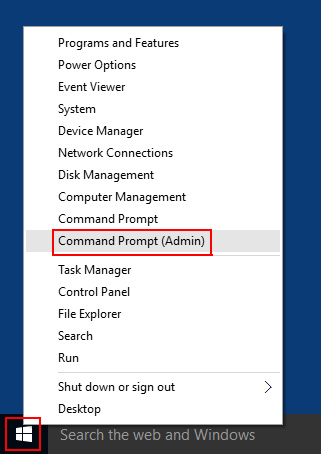
Right Click the Start button in Windows and choose: Command Prompt (Admin).
In the Command Prompt window type: sfc /scannow (Note there is a space between sfc and /).
Then press Enter to start the process.
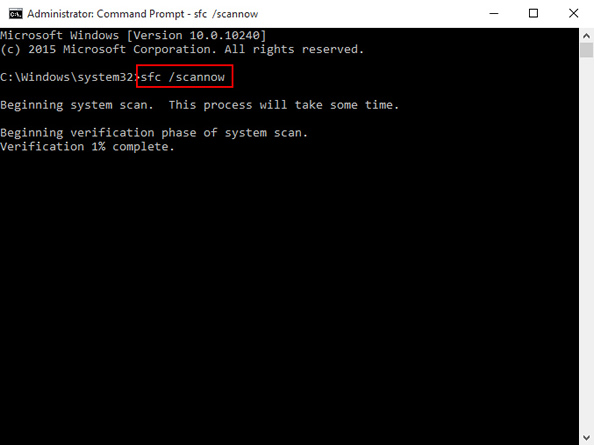
Wait until the 'System File Checker' is finished. This usually takes about 20 minutes depending on the size and speed of your hard drive.
Restart your computer and then open Outlook.